“Draft a check-in text for Celia”
Draft only. To send through Tendeck you tap Approve on your phone, and it goes once from your own Twilio number.
No AI needed
The calm web app at tendeck.ai/app needs no AI at all and installs on your phone home screen. Same account, same Today’s 10.
Open the web app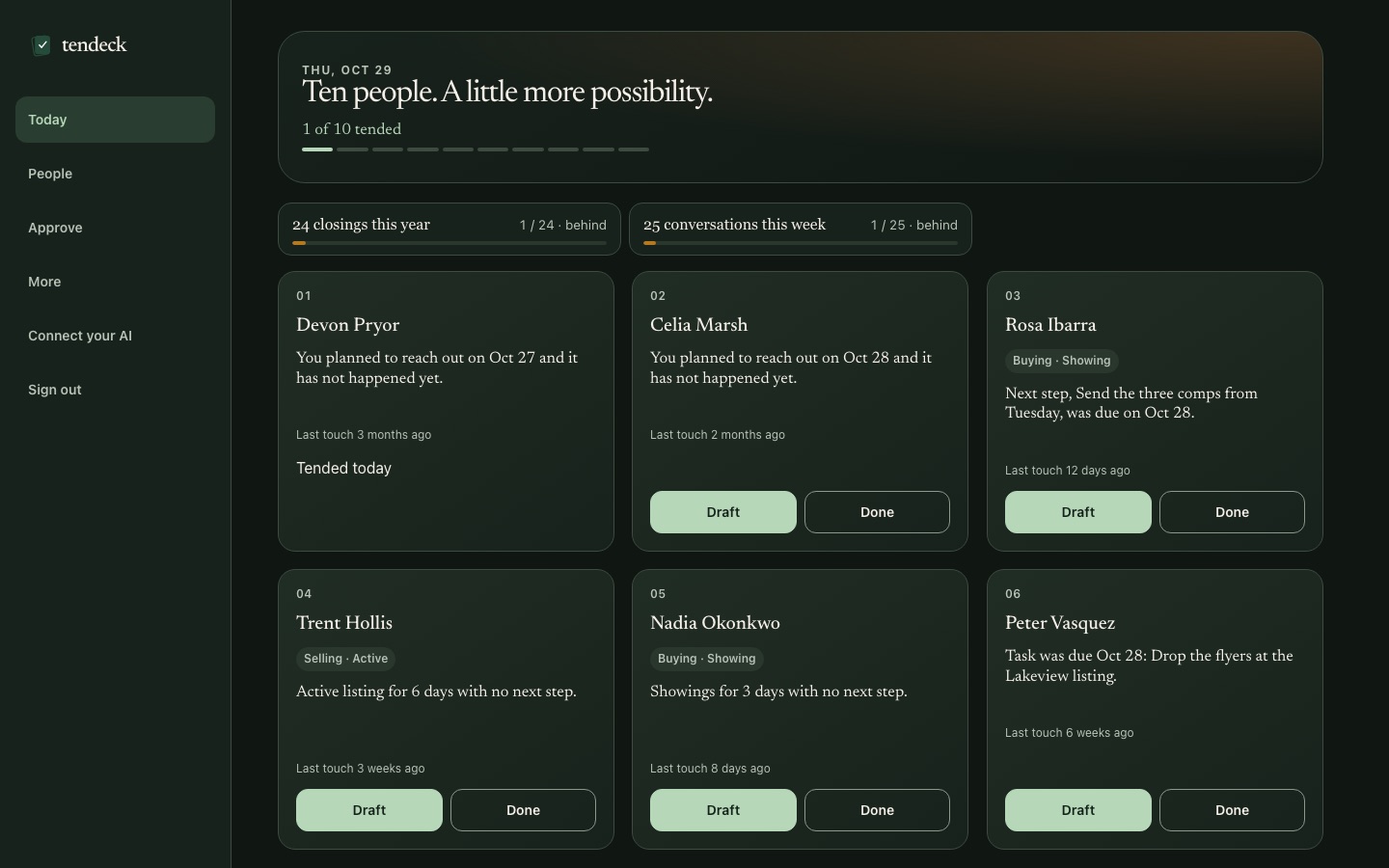
Setup guide · about one minute
You do this once. Claude is the easiest free path — free Claude works. ChatGPT needs a paid plan. Paste one link, sign in with the code Tendeck emails you, and from then on you just talk to your assistant. It runs your CRM with Tendeck’s tools.
Free forever core. No credit card. No sales call.
Tendeck runs no AI of its own. Your own Claude, ChatGPT or Grok does the thinking; Tendeck is the CRM and the tools it reaches for.
Signup takes under a minute with an emailed code. Optional prepaid add-ons come later, when you want them. There are no AI charges, because Tendeck runs no AI of its own. Free Claude works — the free plan allows one custom connector. Free ChatGPT cannot add custom connectors; paid ChatGPT plans can through Developer Mode.
One link, once
Tendeck connects as a remote MCP connector. The same link works for every supported assistant. Claude is the easiest free path. ChatGPT needs a paid plan.
https://tendeck.ai/mcp
Custom connectors are available on every Claude plan. The free plan allows one custom connector. These steps follow Claude’s official help article.
Sign in to your Claude account. The menu may say Customize instead of Settings.
Look for Connectors in that menu.
Choose Add custom connector.
So you recognize it later in a chat.
https://tendeck.ai/mcp — use the copy button above rather than typing it.
Save the custom connector.
When Claude asks, sign in with the code Tendeck emails you. This is the same account you started with.
That’s where the value shows up first — Today’s 10, each person with a one-line reason.
Official Claude help: Get started with custom connectors using remote MCP. Free Claude works; the free plan allows one custom connector.
Free ChatGPT cannot add custom connectors. Paid ChatGPT plans can through Developer Mode in settings.
It may be under Security or Advanced, depending on your plan.
Use the URL https://tendeck.ai/mcp.
So you recognize it later in a chat.
https://tendeck.ai/mcp — use the copy button above rather than typing it.
When the connector asks, enter the code Tendeck emails you.
That’s where the value shows up first — Today’s 10, each person with a one-line reason.
Menus change by plan, and workspace admins may restrict it. If you can’t find it, use Claude or the web app at tendeck.ai/app — same account, same Today’s 10.
Look for connectors, apps or integrations.
If your assistant supports remote MCP connectors, this is the same motion everywhere.
https://tendeck.ai/mcp
The code is emailed to the address on your Tendeck account.
Your assistant calls Tendeck’s tools and hands you Today’s 10.
Grok is live today. See the current list at tendeck.ai/integrations — including CSV, Follow Up Boss, GoHighLevel, Twilio, Gmail/Outlook through your AI, Lob postcards, RentCast home values, county files and MLS for brokers.
You’re connected
Say these four things, in this order. Type them into the chat — your assistant is the app now.
Not sure something exists? Ask “How do I…?” The built-in manual is right there, so your AI is the support desk.
Your AI asks a few questions and sets goals like a target number of closings a year. Today then shows your progress and pace.
Attach your CSV. Your AI cleans and tags it, removes duplicates, shows you a preview, then imports. Already somewhere else? Say “Import from Follow Up Boss” or “Import from GoHighLevel” and use your own API key.
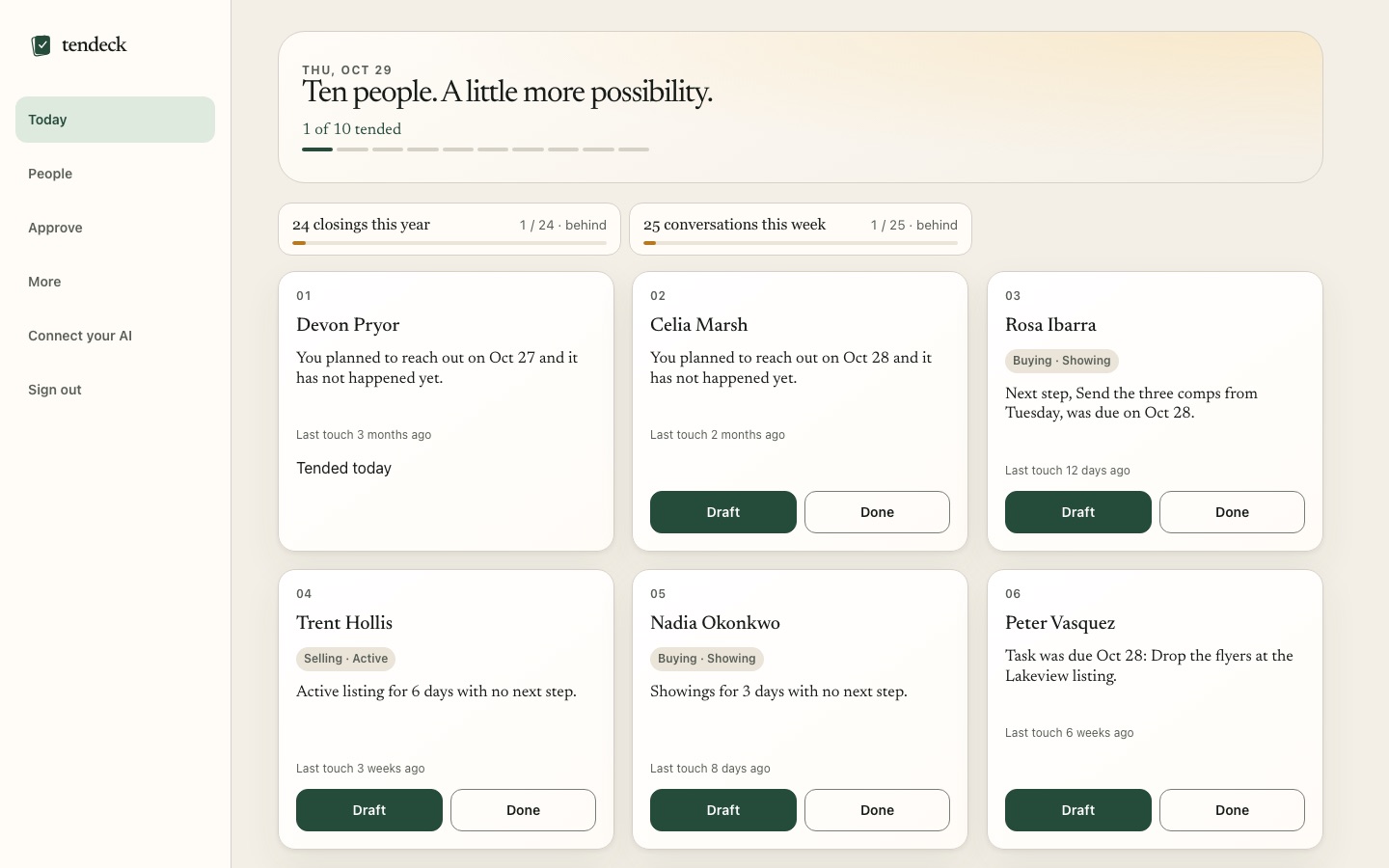
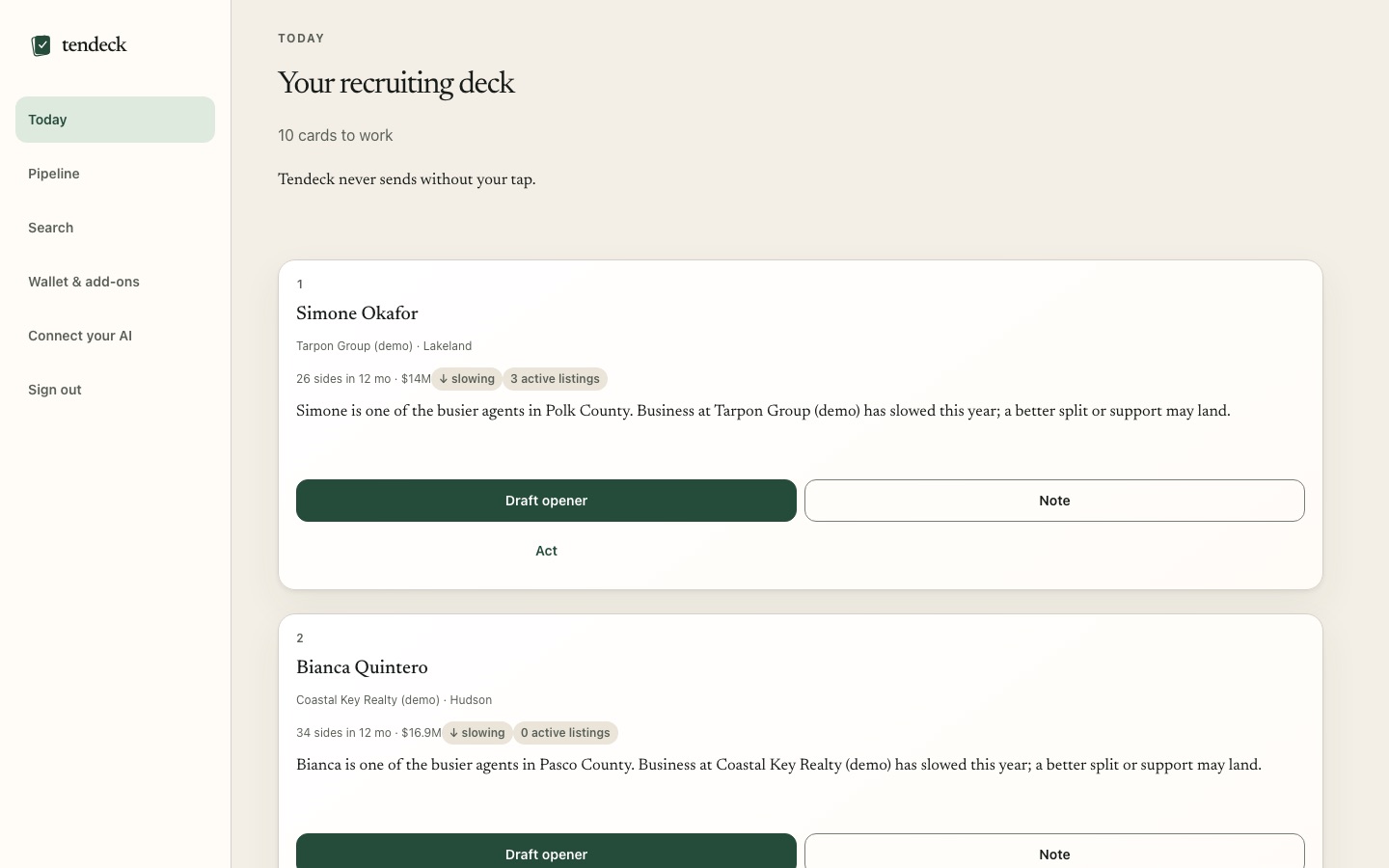
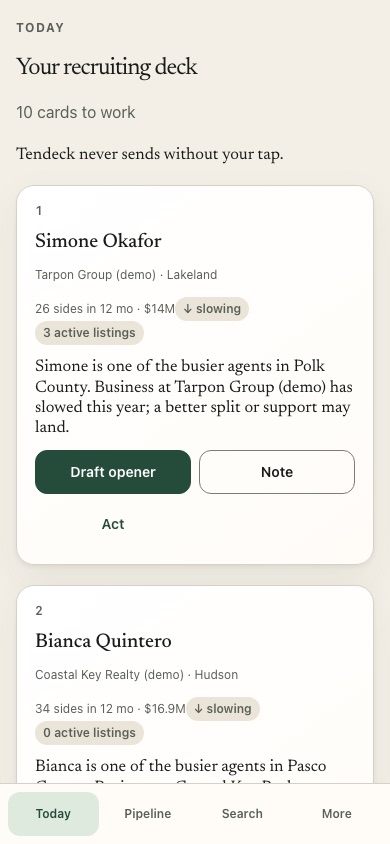
You get Today’s 10 — the ten people most worth a call or text today, each with a one-line reason.
Your AI rearranges the app around you: hide Deals and keep Call and Done, make it compact, turn on dark mode, fewer buttons.
The real app
These are real screenshots of Tendeck, shown with practice data. Same account, same Today’s 10, whether you use an AI assistant or the web app.
Once you’re in
Every one of these is a real tool. You talk; your assistant does the work inside Tendeck.
Draft only. To send through Tendeck you tap Approve on your phone, and it goes once from your own Twilio number.
Tendeck holds the plan. Your AI sends the emails from your own Gmail.
Through Lob, on your account. You see a preview, then confirm.
Or “Add a field for lender.” Or “Move the Ibarra deal to closed” — your closings goal updates.
Your reputation isn’t a setting
Your assistant prepares. You keep the decisions that matter.
Connecting your assistant is not permission to contact your sphere unattended. You approve each send.
No expiry. No AI override. No clever workaround that turns someone’s “no” into another follow-up.
No AI deletes. Export everything any time. And delete means deleted.
Customer data is stored on Tendeck’s servers in a US data center (Hetzner, United States), encrypted in transit. Your AI only sees what it asks Tendeck for during your conversation, under your own account with that AI company. Tendeck never sells or shares your list.
If something doesn’t work
Almost every setup snag is one of these. None of them touch your data.
Codes arrive by email. Check spam and promotions, and confirm you’re using the address you signed up with. Try again from the start page, then enter the newest code you receive. You can also open tendeck.ai/app and sign in there with the same emailed code.
Copy the link with the button above instead of typing it — it must be exactly https://tendeck.ai/mcp, with no extra spaces or trailing punctuation. In Claude, custom connectors are available on every plan, including the free plan (the free plan allows one custom connector). In ChatGPT, free accounts cannot add custom connectors; paid plans can through Developer Mode in Settings, which may be under Security or Advanced. Workspace admins may restrict it. If it still fails, remove the connector and add it again.
The connector may be added but not switched on for this chat. In Claude, enable Tendeck from the tools menu. In ChatGPT, check that the app or connector is available in the current chat. Start a fresh chat after connecting. If your assistant asks you to sign in, use the email code. Then ask something specific — “Who should I call today?” — rather than a general question.
tendeck.ai/integrations lists what’s live today and what’s next. Live now: Claude, ChatGPT, Grok, CSV, Follow Up Boss, GoHighLevel, Twilio, Gmail/Outlook via your AI, Lob postcards, RentCast home values, county files, and MLS for brokers. Next: dotloop, lead emails from Zillow/Realtor.com, calendar.
Ten people. One good habit.
Connect once. Then every morning, ask your AI for Today’s 10.
Start freeYour relationships. Your pace. Your final say.